Browser extension
Test a proxy before your browser uses it.
An extension for the proxies you bought here and anywhere else. Test each one, read its latency, connect in one click, see the exit IP the world sees, and split sites between proxies to compare them.
Available for Chrome and Firefox. The install links are on the Apps & extensions page of your dashboard.
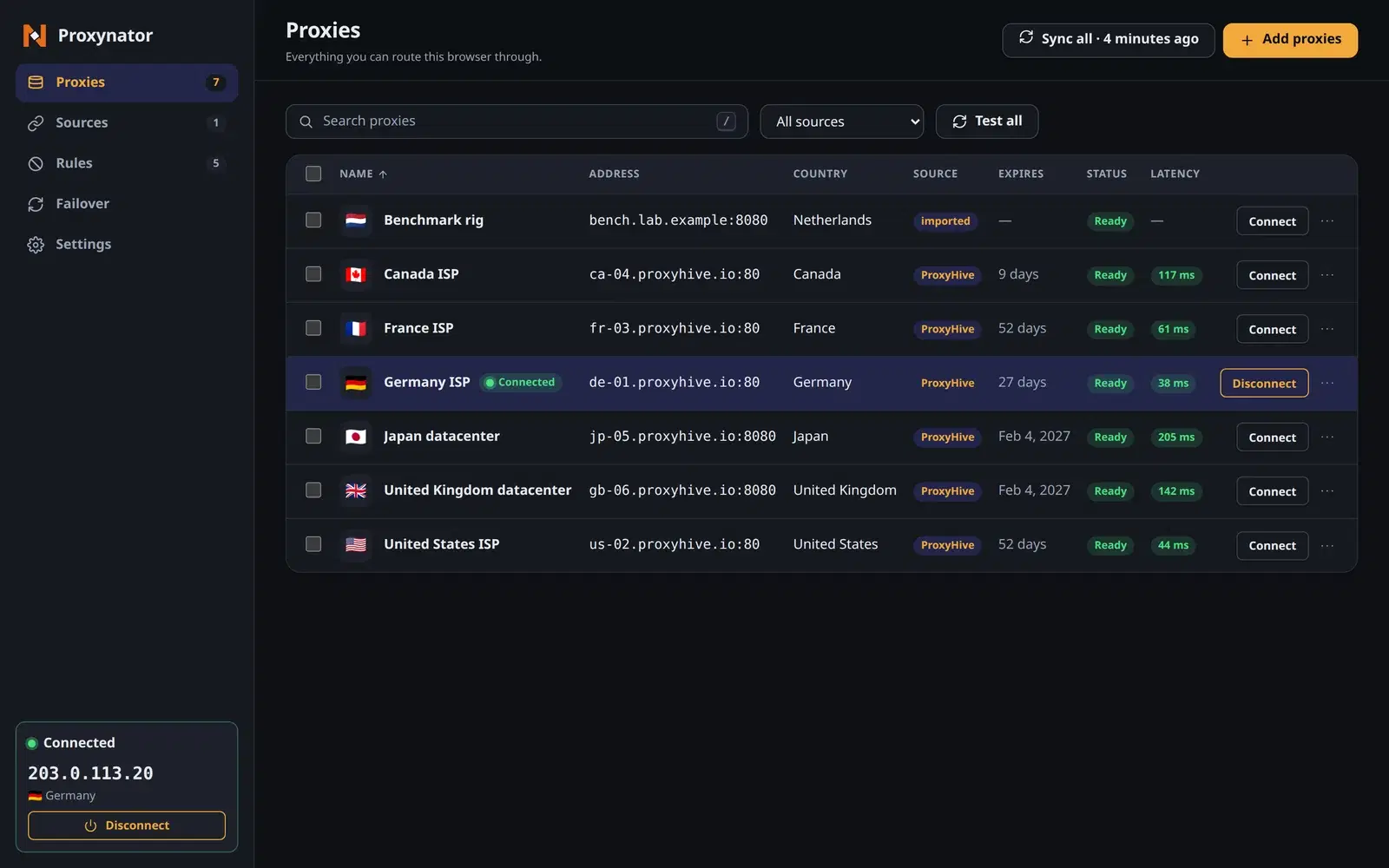
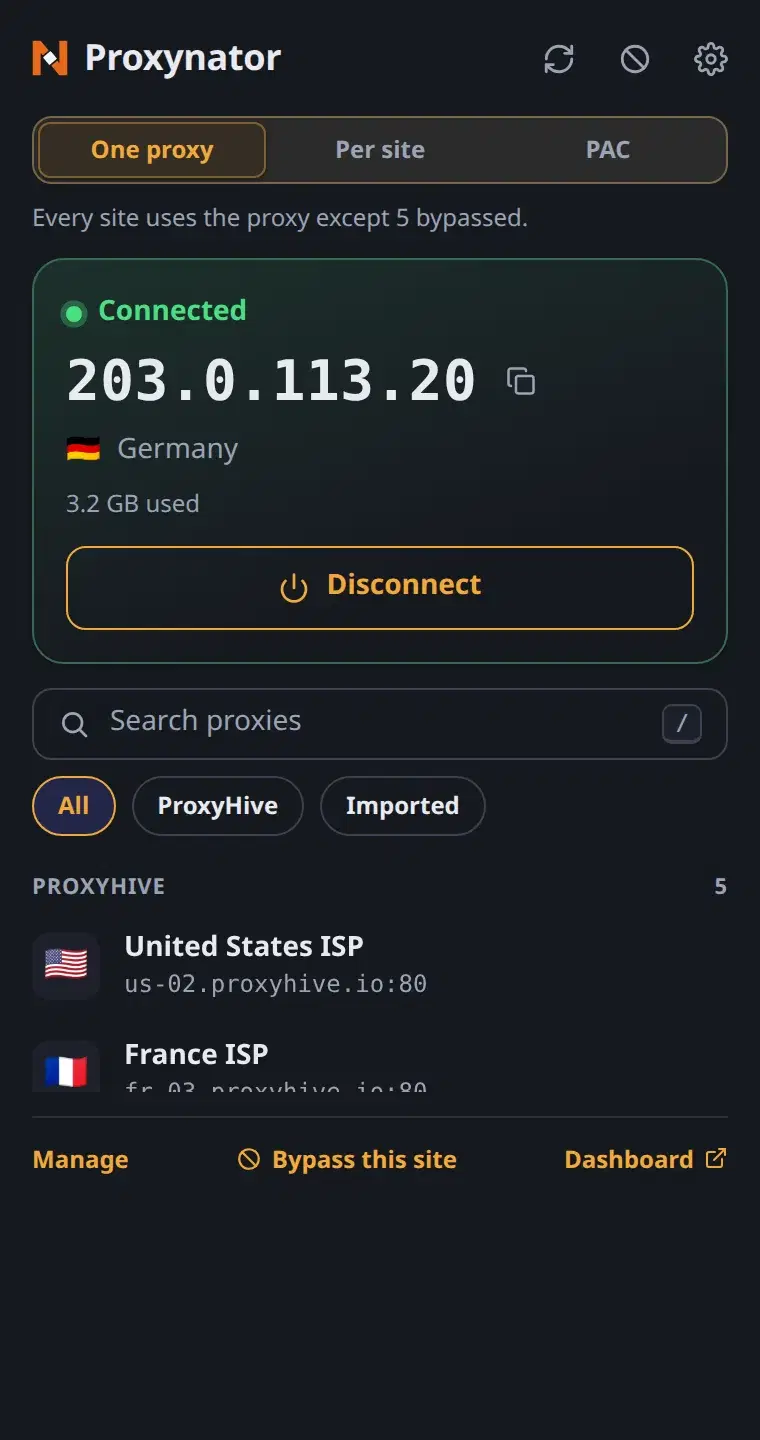
Your own numbers, per proxy
Every figure it shows is measured from your browser, on your connection, when you ask for it.
Test before you connect
Test sends one request through a proxy without moving your browsing onto it. You get the outcome, the round-trip time and the exit IP.
Latency, per proxy
Test all, or select a few and test those. Each result lands in the Latency column, and an old one is marked stale instead of passing for current.
What the world sees
Connect, and the popup shows your exit IP and its country. If the proxy refuses the login, cannot be reached, or another extension holds the proxy setting, it says that instead.
Split sites between proxies
Per-site rules send one site through one proxy and the next through another, with a fallback for the rest. Or bypass a list, allow only a list, or load a PAC script.
Bring your other providers
Link your ProxyHive account, import from a dashboard tab you are signed in to, list another provider’s proxies with its API key, or paste a list. Every proxy gets the same Test button and the same column.
Failover that tells you
Switch it on, and when the connected proxy stops answering it moves to the next one that passes a test, in your order. It can do the same when a site you list answers 403 or 429, and leaves a notice either way.
The real screens, with sample data
The extension shows as Proxynator. In the dark theme it takes ProxyHive honey; on white, honey would fail contrast, so the light theme keeps the extension's own indigo.
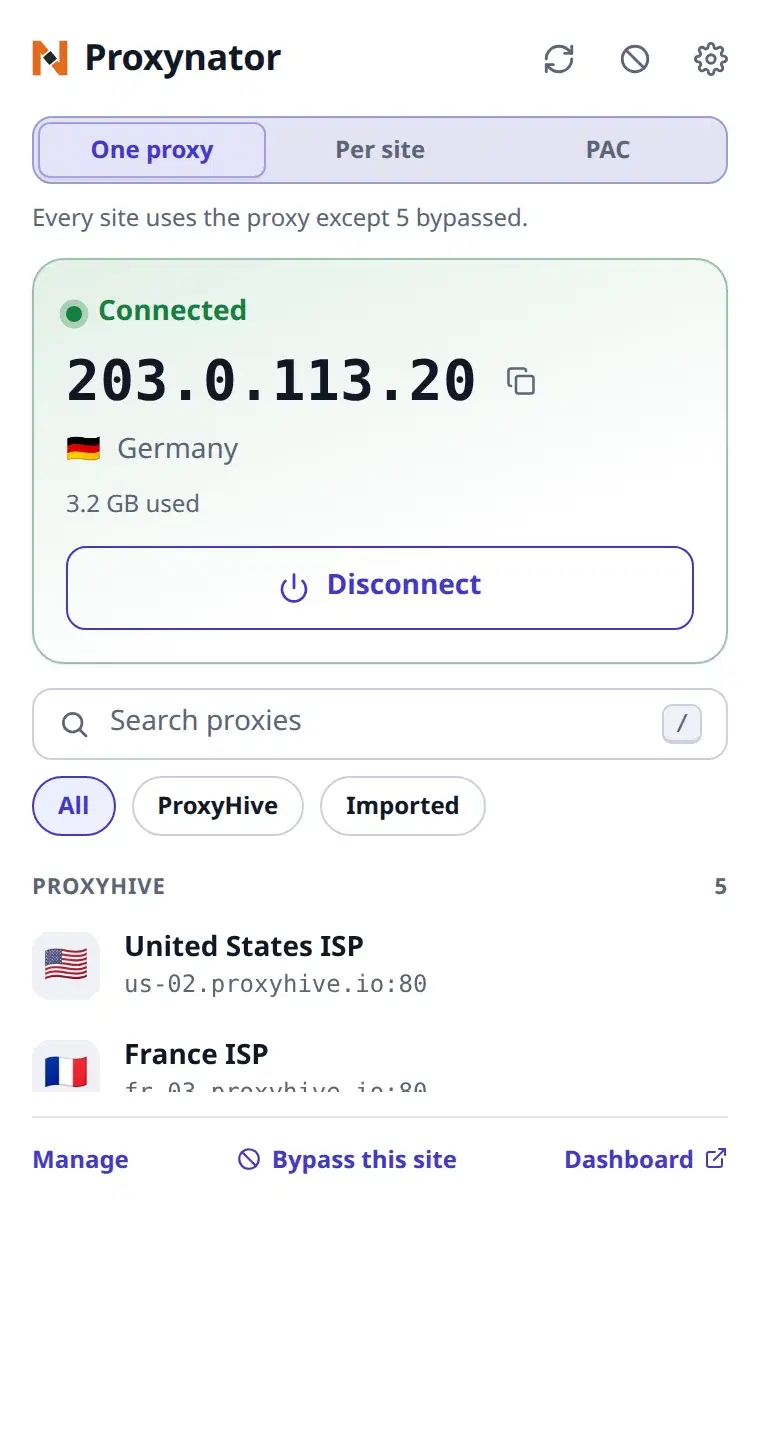
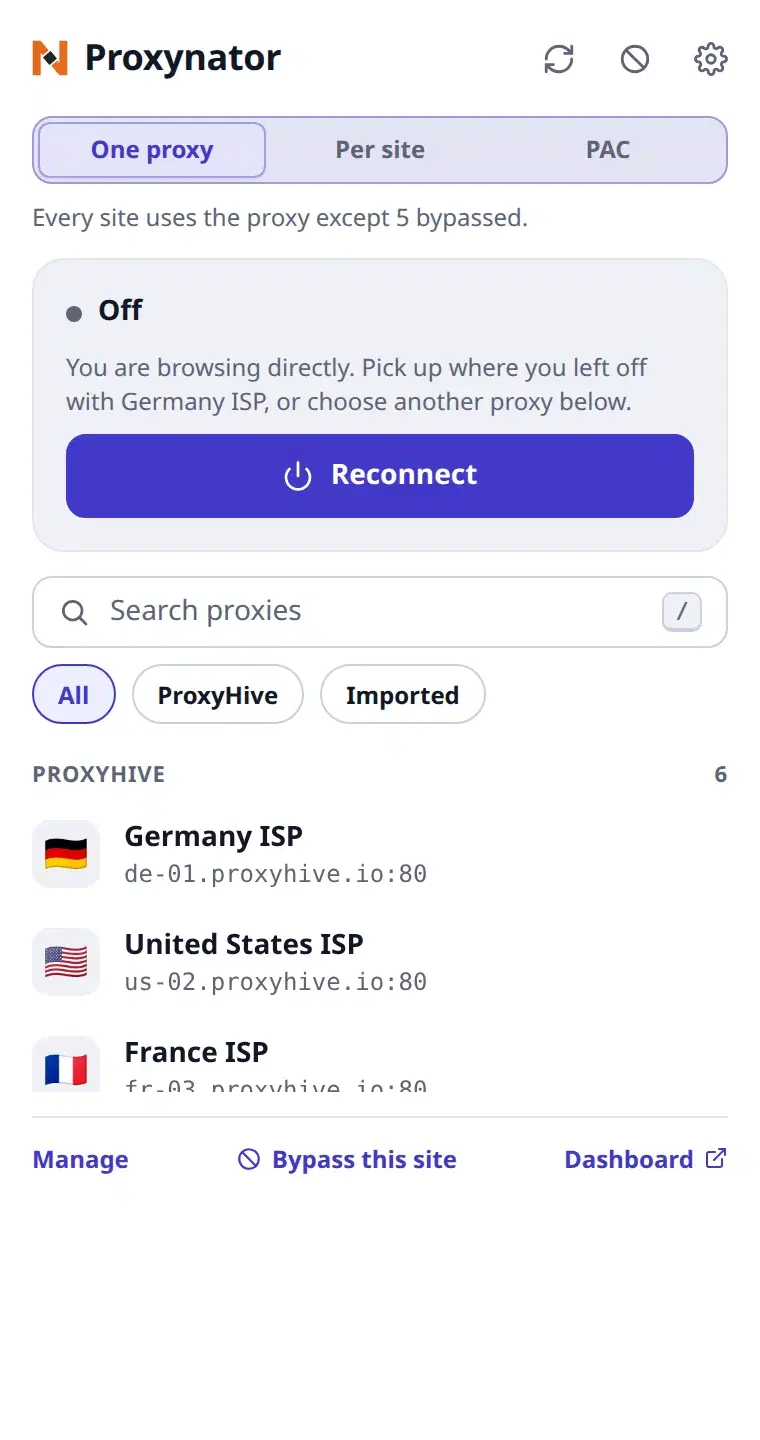
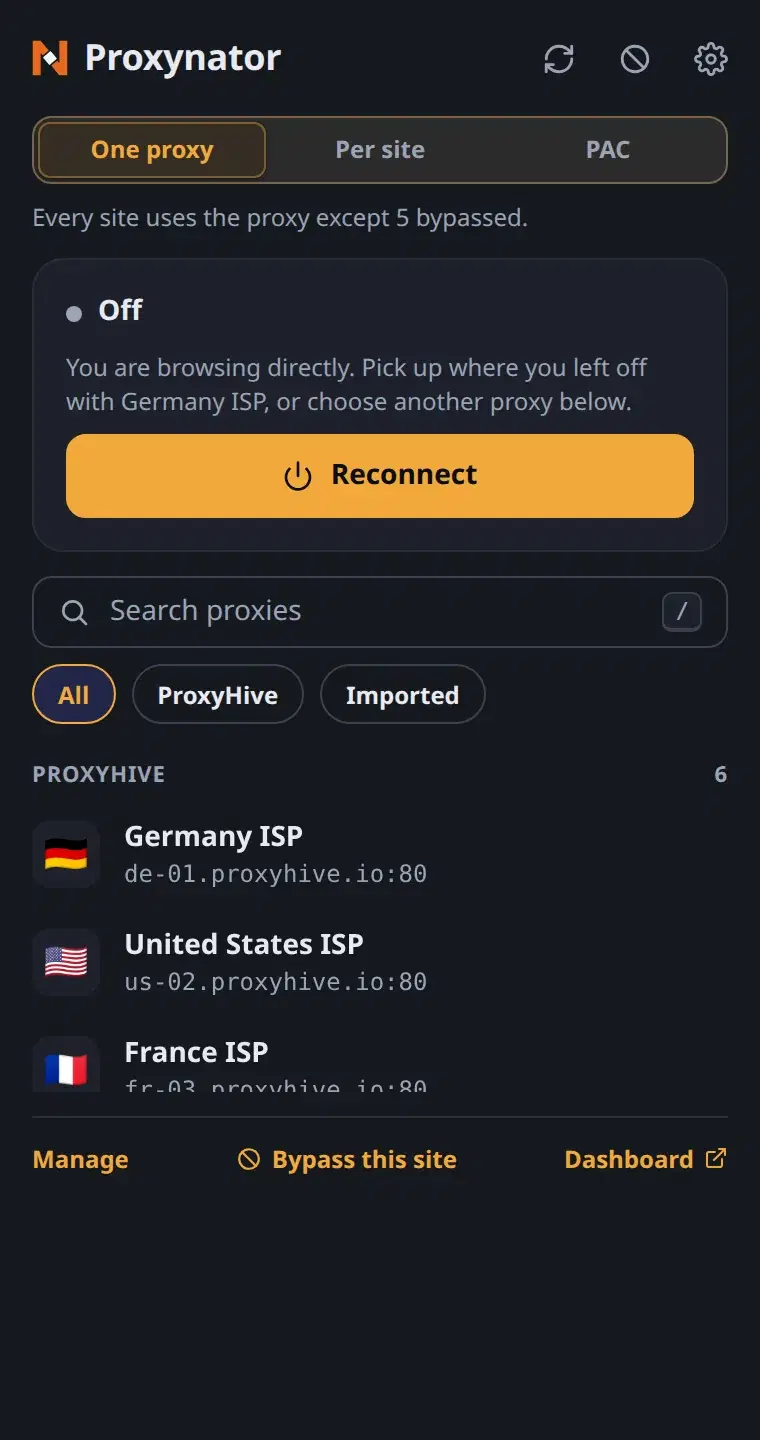
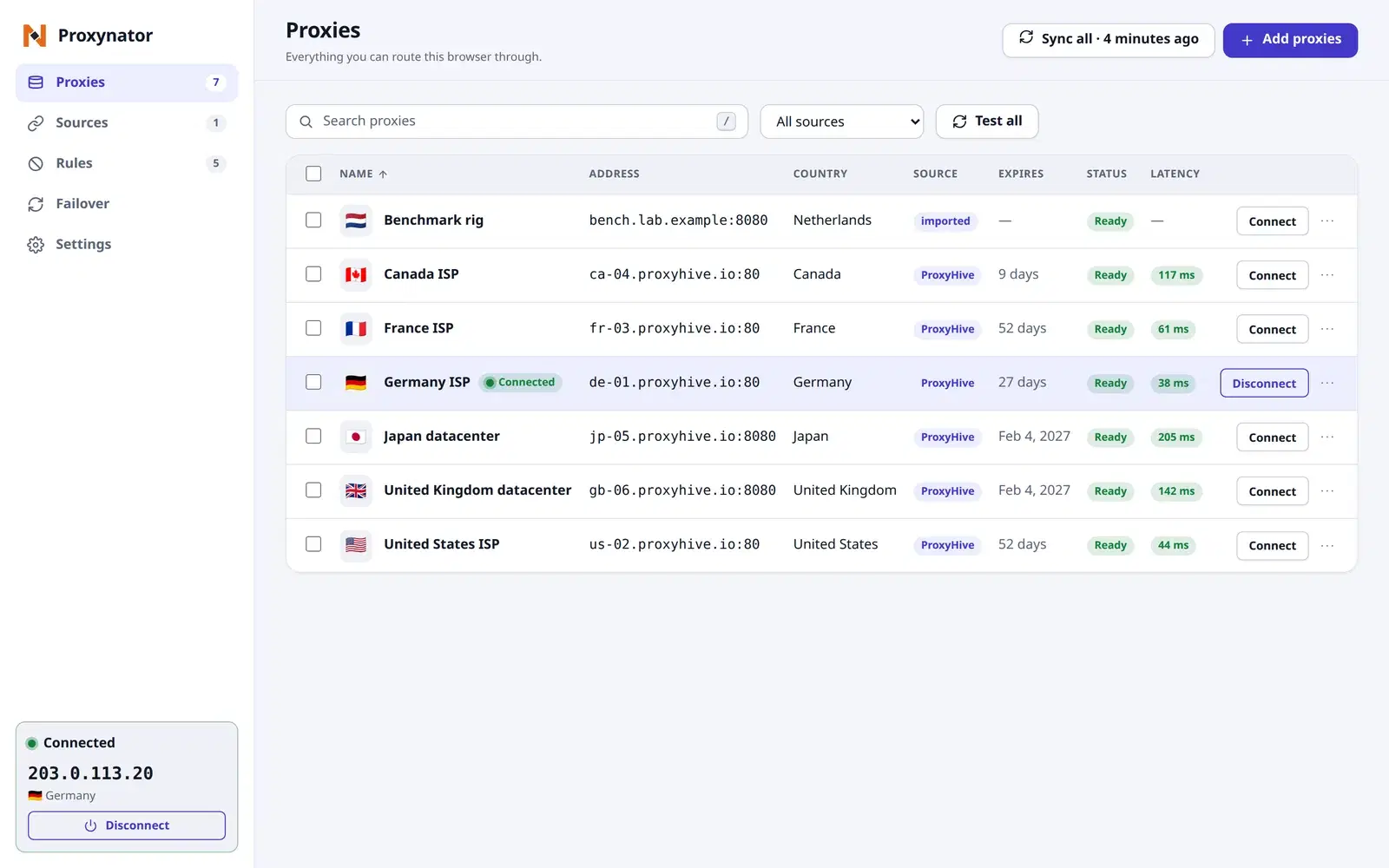
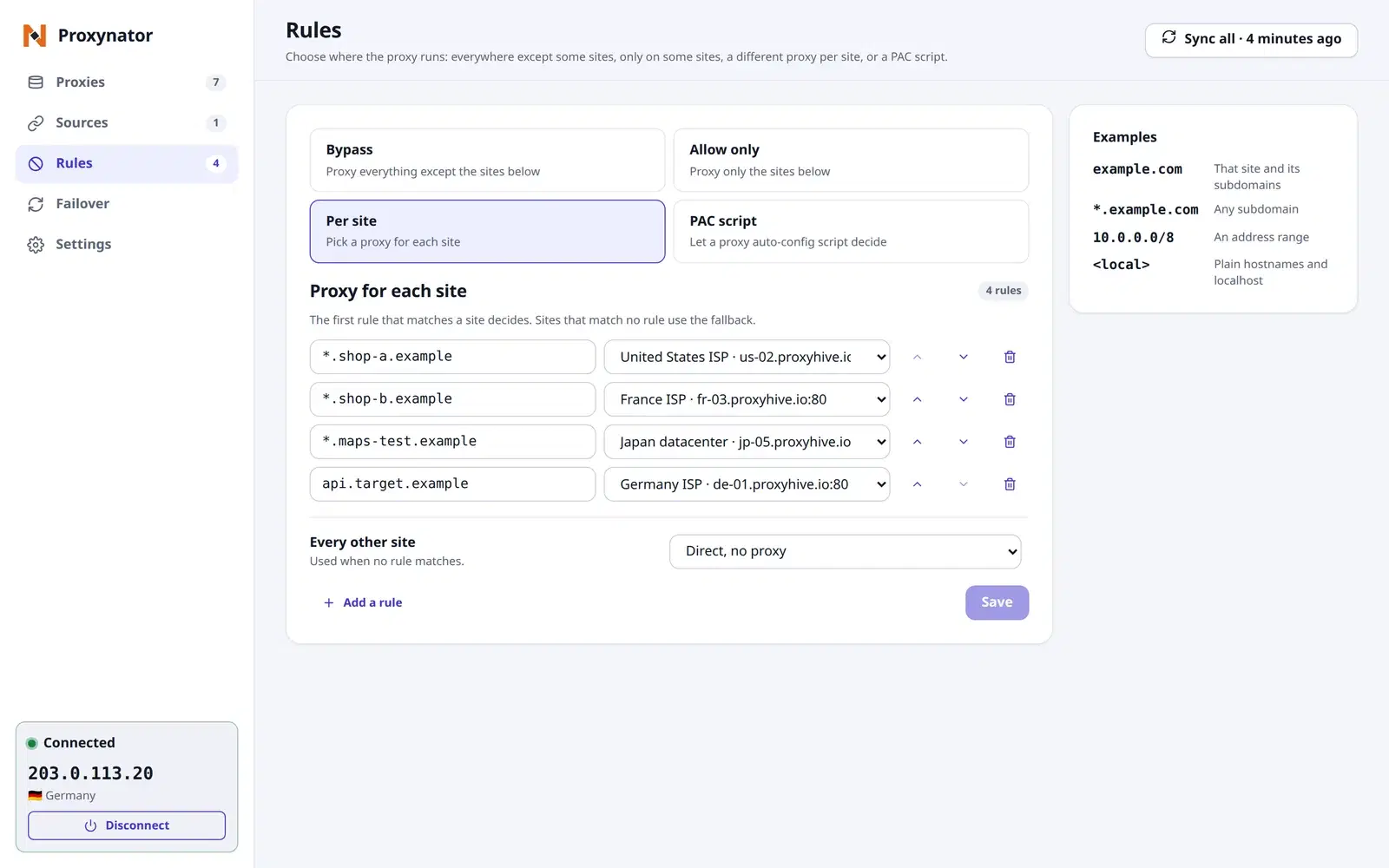
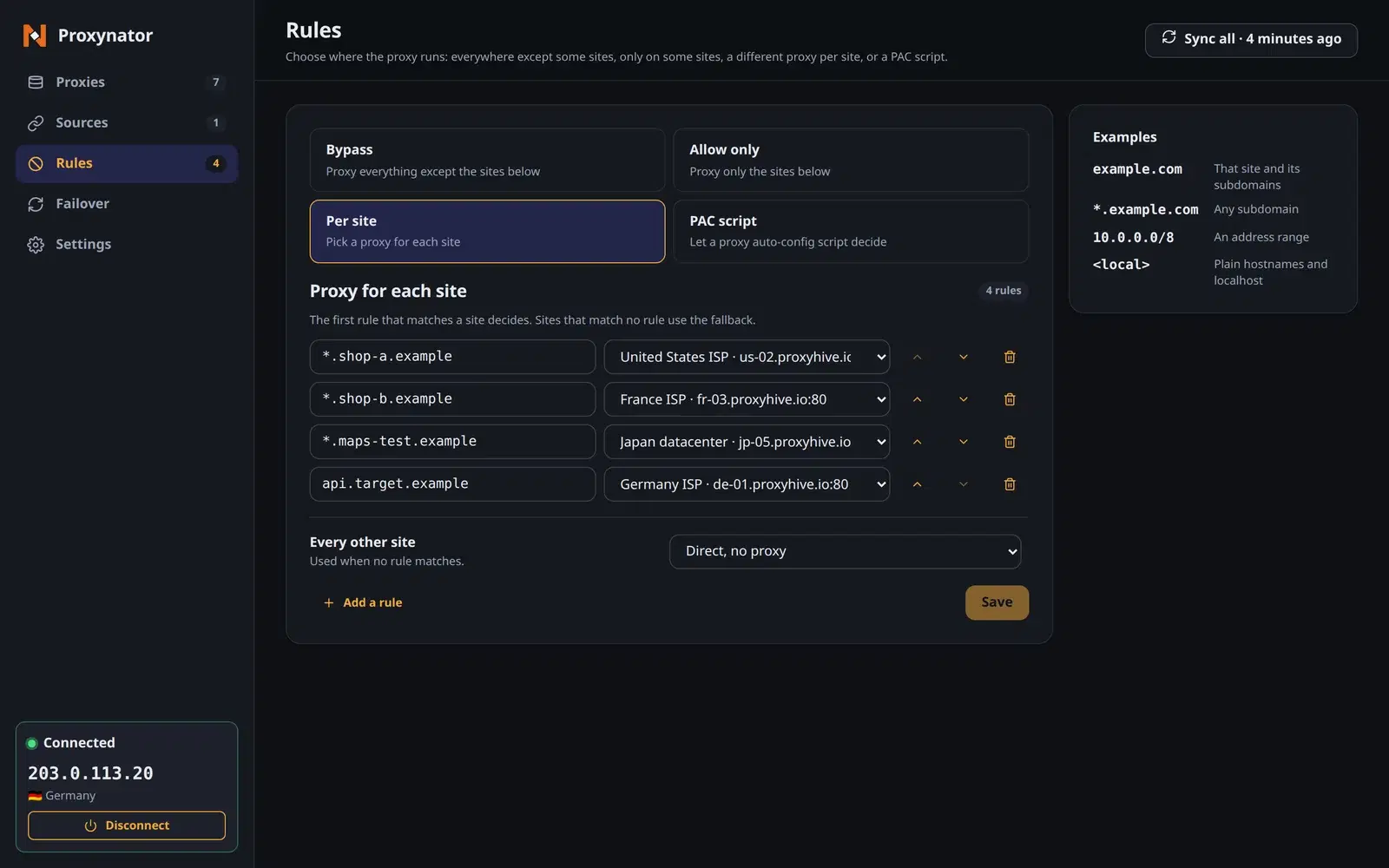
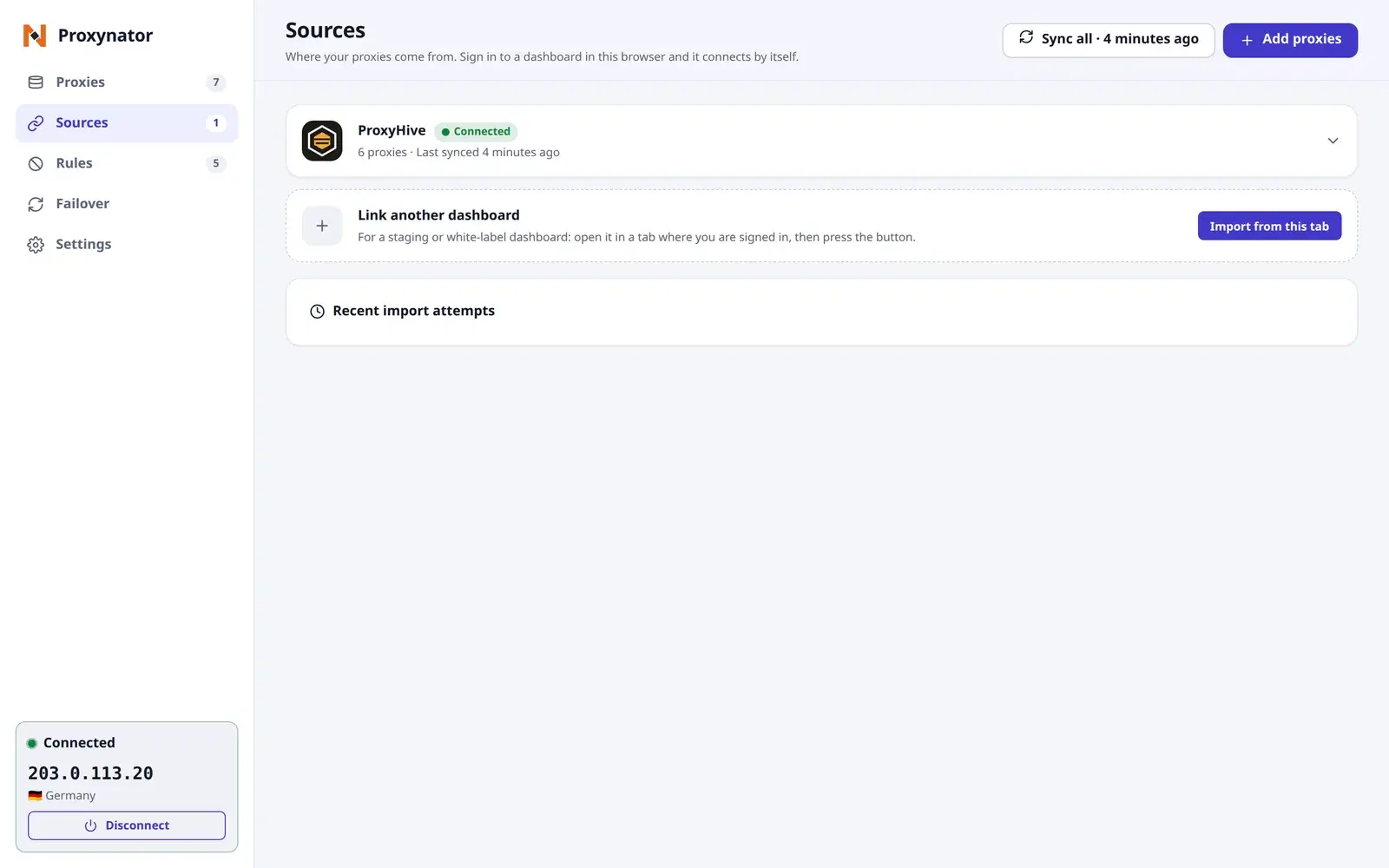
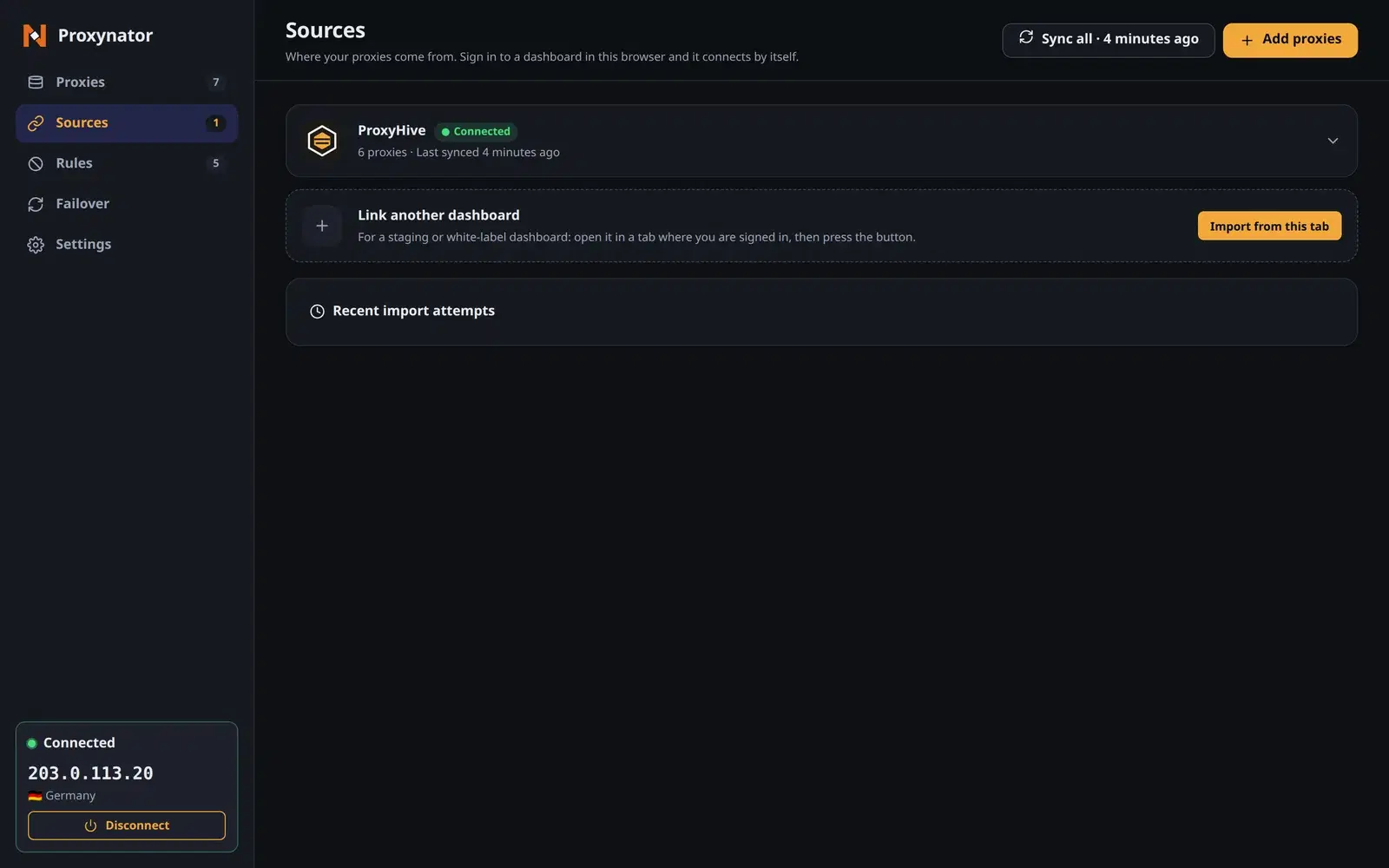
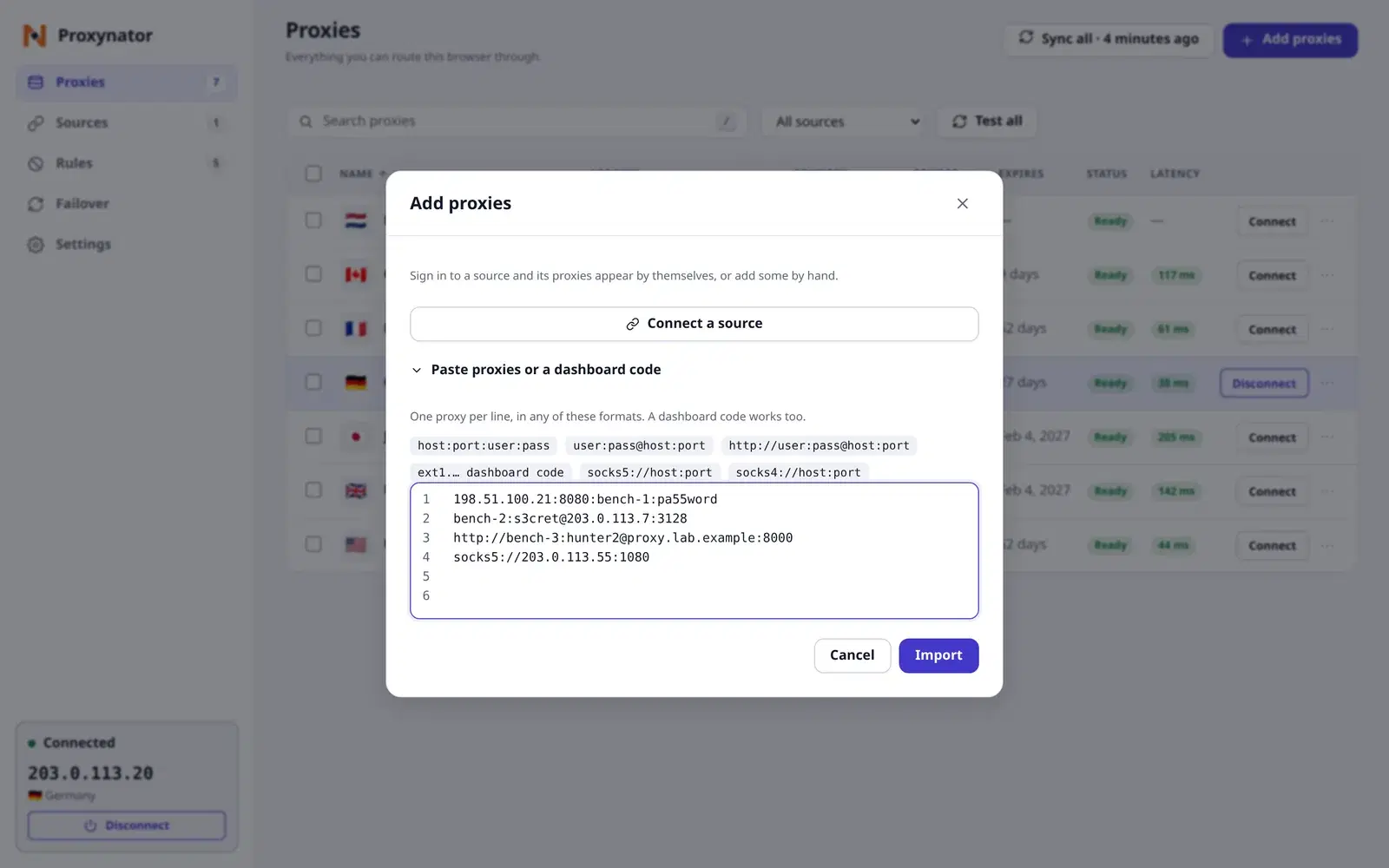
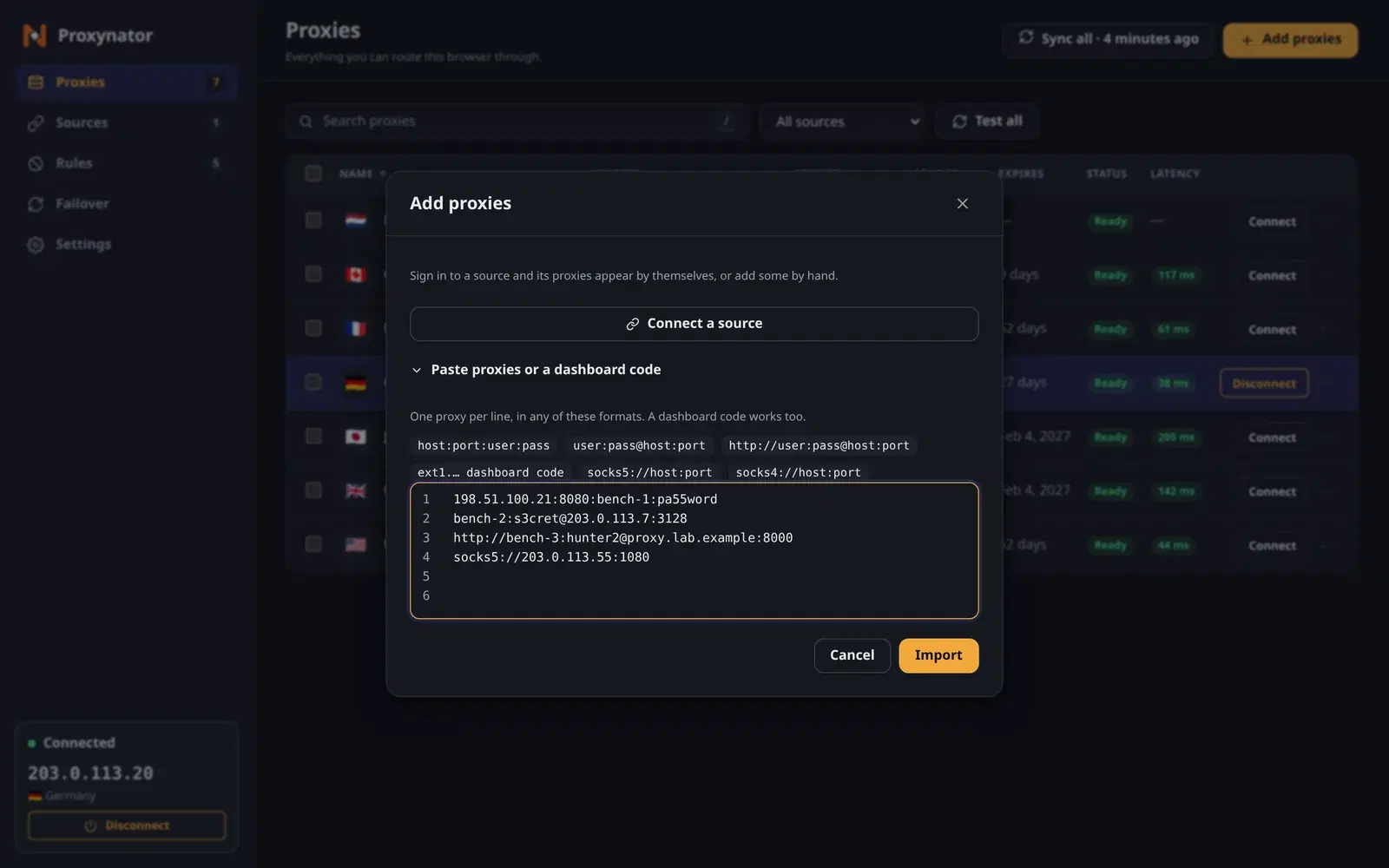
Sample data shown
Four steps to your own numbers
01
Add your proxies
Link your ProxyHive account, import from a signed-in dashboard tab, or paste a list or a dashboard code.
02
Test them
Press Test all and read the Latency column. Results go stale on their own, so retest before you decide.
03
Connect, or split by site
One click connects. Per-site rules send each site through the proxy you pick.
04
Check the exit
Once you connect, the popup shows the exit IP and its country.
Also in the box
No password prompts
Credentials are stored in the extension and answered for you.
Paste any format
host:port:user:pass, user:pass@host:port, a URL, or a dashboard code.
WebRTC leak protection
Optional, one switch in Settings.
English and Simplified Chinese
Follows your browser’s language unless you pick one.
Light and dark
Follows your system unless you pick one.
No ads, no tracking
Anonymous usage statistics are off by default and sent only if you switch them on.
Known limits
Written down here so you do not find them in a test run.
- A captcha page that answers with status 200 looks like success, so it does not trigger a switch.
- A rotating gateway keeps its exit IP across a switch, so a site may see the same address.
- Private windows are not proxied unless the browser allows the extension there.
- It routes this browser only. Other apps on the machine connect as before.
Where it runs
Available for Chrome and Firefox. The install links are on the Apps & extensions page of your dashboard.
- Chrome
- Firefox
Questions before you test
Where do I get it?
Available for Chrome and Firefox. The install links are on the Apps & extensions page of your dashboard. Once it is installed, sign in to your ProxyHive dashboard in the same browser and the extension connects your account by itself.
Read the setup guideDoes Test change where my browser goes?
No. A test sends one request through the proxy you picked and records the outcome, the round-trip time and the exit IP. Your browsing stays on whatever it was using.
What does the Latency number measure?
The round trip of one test request through that proxy, timed from your browser. It shows the last result, marked stale after a while or when you change the proxy’s address or username.
Latency, definedCan I compare proxies from different providers?
Yes. Paste their proxies in, or list them with a provider’s API key, test them in the same table, then use per-site rules to send two sites through two different proxies at once.
How rule-based routing worksWhat does switch-on-block miss?
A captcha page that answers with status 200 looks like success, so it does not trigger a switch. And a rotating gateway keeps its exit IP across a switch, so a site may keep seeing the same address.
Does it stop WebRTC leaks?
Only if you switch on WebRTC leak protection. It is optional, and the browser asks for the permission when you turn it on. The proxy checker shows whether a page can still see a second address.
Run the proxy checkerDoes it track what I do?
No ads, no tracking and no extra account. Anonymous usage statistics are off by default and only sent if you switch them on in Settings.
Can it proxy apps outside the browser?
No, it routes this browser only. For scrapers, scripts and other apps, ProxyDesk gives the whole machine one local address.
See ProxyDeskGet your own numbers
Available for Chrome and Firefox. The install links are on the Apps & extensions page of your dashboard. Your ProxyHive account is a built-in source, so your proxies are listed and ready to test once you sign in.